Fusion, Blackmagic Design’s node-based compositor, has been used on films and shows including Avatar and Lost. Here are 8 Fusion tutorials covering titling, tracking, particles, and compositing tricks worth having in your back pocket. Working in layers instead of nodes? See our After Effects tutorials.
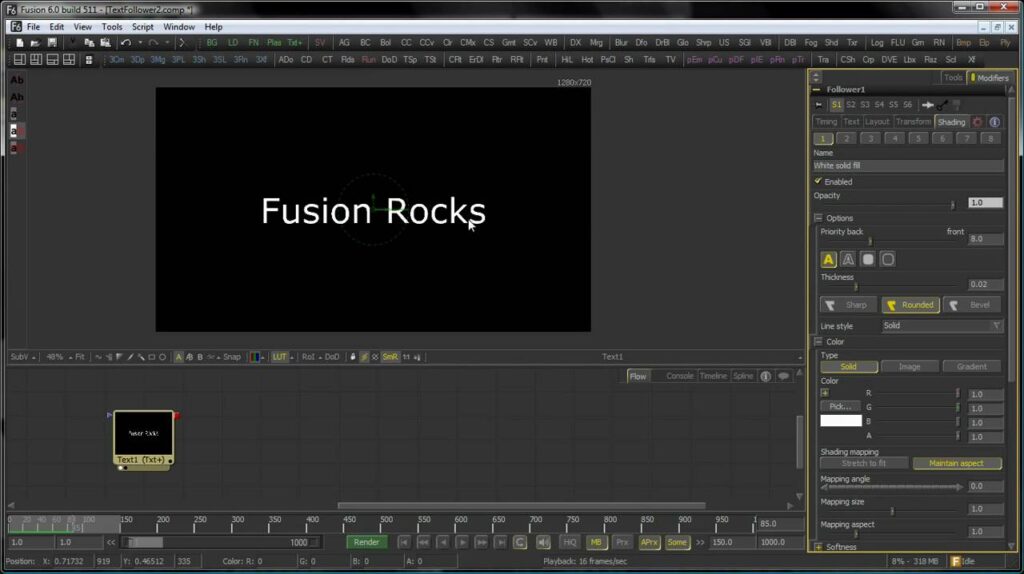
1. Animated Titles with the Text Tool and Follower
Builds an animated title using Fusion’s text and follower nodes, a fast way to get letter-by-letter motion without hand-keyframing each character.
2. Creating a Radar Screen
A sci-fi HUD effect built from Fusion’s generator and glow tools, the kind of screen graphic that shows up constantly in spaceship and control-room shots.
3. Anisotropic Highlights
Simulates the directional, brushed-metal style highlight you see on things like CDs or machined metal, a lighting detail that sells a surface as genuinely metallic.
4. Using Fusion’s 3D Locator
Covers placing and tracking a 3D locator in a scene, the reference point Fusion uses to anchor 3D elements correctly as the camera moves.
5. Compositing Blood Onto a Scene
Walks through adding blood spatter and splash elements into live footage convincingly, matching light and perspective so the effect doesn’t read as pasted on top.
6. Heat Effects with Fusion Particles
Uses Fusion’s particle system to build a heat-haze distortion, the shimmering warp you’d see rising off pavement or behind a jet engine.
7. Depth of Field for Realism
Adds a synthetic depth-of-field blur using a Z-depth pass, letting you rack focus or blur backgrounds after the shot’s already been filmed.
8. Advanced Sky Replacement
Goes beyond a basic sky swap, matching light direction and color temperature so the new sky actually agrees with the lighting on the ground.