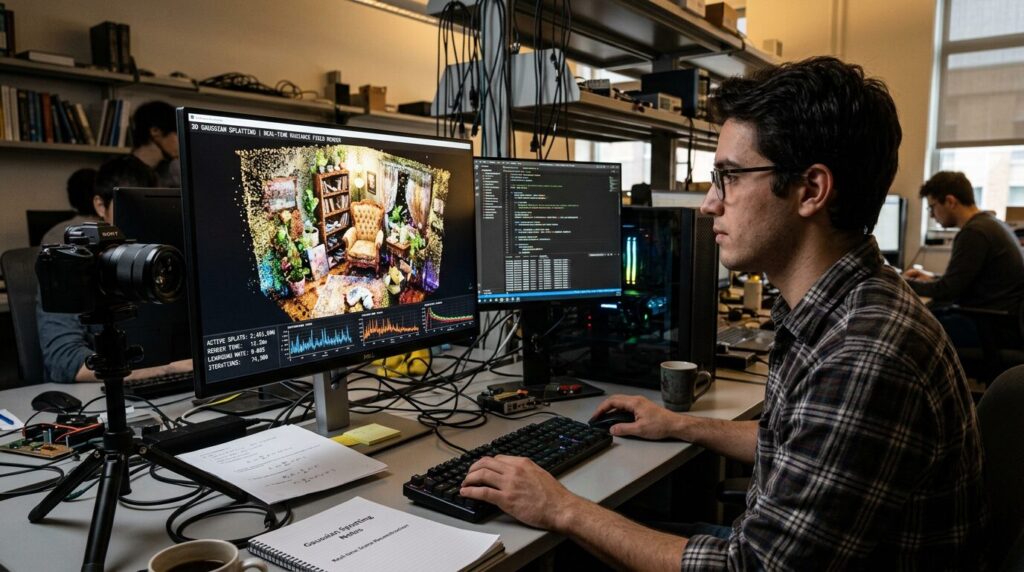
3D Gaussian splatting went from a SIGGRAPH paper in 2023 to a shipping feature in Nuke, Houdini and Arnold by mid-2026. If you work in VFX, it is already showing up in your tools.
This guide covers what a splat is, how one gets made, how studios use it, and its current limits. For how it fits with compositing, match move and the rest of the pipeline, read our guide to what VFX is and how visual effects get made.
Quick definition
3D Gaussian splatting (3DGS) turns a set of photos into a 3D scene you can move a camera through in real time.
It does not build a mesh. It builds millions of small, soft, semi-transparent blobs called Gaussians. Each Gaussian has a position, a shape, a color and an opacity. Together they form a photoreal copy of the place you photographed, and it holds up from angles between and around your original photos.
The name
A Gaussian is the bell curve from statistics. In 3D it becomes a fuzzy ellipsoid that is dense in the middle and fades out toward the edges.
Splatting is a graphics term from 1990s volume rendering research. It means projecting each 3D element onto the screen and blending it into the image.
Making a splat, step by step
- Shoot a few dozen to a few hundred overlapping photos, or a video, while moving around the subject. Cover every angle you want to see later.
- Run a camera solve. Software works out where each photo was taken from, using the same structure from motion step as photogrammetry. COLMAP is the common open source tool for this. The solve also outputs a sparse cloud of 3D points.
- Turn each of those points into a starting Gaussian.
- Train. The software renders the Gaussians from each camera position, compares the render to the real photo, and adjusts every Gaussian to reduce the difference. This loop runs thousands of times.
- Grow and prune. During training, Gaussians in areas that lack detail get cloned or split, and Gaussians that end up nearly invisible get deleted. A finished scene usually holds millions of them.
Training takes anywhere from a few minutes to around an hour on a decent NVIDIA GPU, depending on the scene and the quality settings.
Inside a single Gaussian
- Position: where its center sits in 3D space.
- Scale and rotation: how stretched it is and which way it points. A Gaussian can be a thin sliver along an edge or a wide smear across a wall.
- Opacity: how see-through it is.
- Color: stored as spherical harmonics, so it changes with viewing angle. This is how splats keep reflections and sheen that a flat texture loses.
The 2023 Inria paper
Gaussian splatting came out of Inria in France. The paper, 3D Gaussian Splatting for Real-Time Radiance Field Rendering, by Bernhard Kerbl, Georgios Kopanas, Thomas Leimkühler and George Drettakis, was presented at SIGGRAPH 2023.
NeRFs (neural radiance fields), introduced in 2020, had already shown that ordinary photos could produce photoreal new views of a scene. A NeRF stores the scene inside a neural network, though, and it is slow to train and slow to render.
The Inria method matched or beat NeRF quality without a neural network and rendered at 100 frames per second or more at 1080p. The speed is why the industry picked it up.
Splats vs photogrammetry vs NeRF
| Photogrammetry | NeRF | Gaussian splatting | |
|---|---|---|---|
| Output | Textured mesh | Neural network | Millions of Gaussians |
| Real time viewing | Yes | Usually no | Yes |
| Hair, foliage, glass | Weak | Strong | Strong |
| View-dependent reflections | Baked into the texture | Yes | Yes |
| Easy to edit and relight | Yes | No | Getting better |
| Support in 3D apps | Everywhere | Rare | Growing fast |
Photogrammetry is still the better choice when you need clean geometry for collision, rigging or a CG asset. Splats are the better choice when the goal is a photoreal copy of a real location.
Splat support in VFX software
- Nuke 17.0 (February 2026) added splat import and a SplatRender node. Nuke 17.1 (August 2026) added animated splat sequences through the GeoSequencer node, plus relighting. Our Nuke 17.1 release breakdown has the details.
- Houdini 22 (July 2026) supports splats natively. You can train them from photos, generate them from 3D scenes, deform and animate them, relight them, and render them in Karma.
- Arnold 7.5.2 (June 2026) renders splats from PLY files and adds a splat shader that responds to scene lights.
- Blender 5.3 adds native splat support. It imports PLY and SPZ files plus USD splat data, stores splats as a dedicated point cloud type, and renders them in Workbench, EEVEE and Cycles. Geometry Nodes gets new nodes for loading splats and tagging point clouds as splats. As of September 2026, 5.3 is in alpha with release scheduled for November 10, 2026. Export is not supported yet.
- OpenUSD 26.03 (March 2026) added a ParticleField3DGaussianSplat schema, so splats can move between applications as USD assets.
- The Khronos Group released its KHR_gaussian_splatting extension for glTF as a release candidate in February 2026. That brings splats to the standard file format for web and real time 3D.
Common production uses
- Set extensions and background plates built from a real location.
- Environment reference for layout, lighting and match move.
- Previs and techvis on a scanned copy of the actual set.
- Volumetric capture of performers, covered in the next section.
4D Gaussian splatting and Superman
A standard splat captures a single moment. 4D Gaussian splatting captures a performance as a sequence of splats, one per frame.
The best-known feature film example is Superman (2025). Framestore worked with capture company Infinite Realities on the holographic messages from Superman’s Kryptonian parents. Because the performances were captured volumetrically, they could be reframed and re-shot from any angle in post. More on the film in our look inside Superman’s VFX.
Limitations
- Lighting is baked in. A splat records the light that was there on the day. The relighting tools in Nuke, Houdini, Arnold and the KIRI Blender add-on help, but they do not match a proper CG material.
- Files are big. Scenes with millions of Gaussians often run to hundreds of megabytes. Compressed formats like SPZ reduce that.
- Views outside the capture fall apart. Look from an angle the photos never covered and you get blurry smears and stray specks, often called floaters.
- There is no real surface. With no clean mesh underneath, collision, rigging and simulation take extra work.
- Editing is limited. Cropping and cleanup tools exist, but reshaping what you captured is still hard.
- Bad source photos show up in the result. Moving objects, changing light and motion blur all turn into artifacts.
Tools for making your own splats
- Scaniverse from Niantic is a free phone app that processes splats on the device. Polycam also offers splat capture on iOS and Android.
- Postshot from Jawset trains splats locally on Windows and needs an NVIDIA RTX card. It has a free non-commercial tier, paid Indie and Studio plans, and plugins for After Effects and Unreal Engine.
- SuperSplat from PlayCanvas is a free, open source splat editor that runs in a browser. Use it for cropping, cleanup and sharing.
- 3DGS Render by KIRI Engine is a free, open source Blender add-on that imports, edits and renders splat PLY files. Version 5.0 (June 2026, Blender 5.1 and up) added experimental animation by baking motion from a proxy mesh, 4DGS sequence export, and lighting transfer from a proxy mesh. It also exports edited splats, which Blender’s native support cannot do yet.
- Houdini 22 and Nuke 17 users can work with splats inside the app they already use. Blender users get the same once 5.3 ships.
Capture tips
- Shoot with plenty of overlap so every part of the subject appears in several photos.
- Lock exposure and white balance if your camera allows it.
- Use a shutter speed fast enough to avoid motion blur.
- Keep people and cars out of frame.
- Shoot in overcast light if you can. Hard sun and moving shadows cause artifacts.
- Circle the subject at a couple of different heights.
FAQ
Is Gaussian splatting AI?
The original method uses no neural network. It is an optimization loop: render, compare against the photos, adjust, repeat. It runs on the same GPU training tools used in machine learning, so it often gets grouped with AI.
Is it the same as a NeRF?
No. Both turn photos into a 3D scene you can view from new angles. A NeRF stores the scene inside a neural network. A splat stores it as explicit Gaussians, which render much faster.
Can you turn a splat into a mesh?
Yes, with extra tools, but the mesh usually looks rougher than the splat. If you need geometry first, start with photogrammetry.
What file formats do splats use?
PLY is the most common. You will also see .splat, SPZ for compressed files, and USD and glTF now that both standards have added splat support.
Will it replace photogrammetry?
No. They solve different problems, and a production can use both on the same set.

Leave a Reply